

Quality Control · add-on for the Operator app
Quality control software that checks the spec while the part is still on the machine
Shop-floor quality control software for manufacturing: a popup on the operator screen asks for the check when it is due, at shift start, every two hours, every 500 pieces, or on demand. Answers, scrap and later edits are logged as they happen.
€13 per machine per month, on top of the Monitoring service (from €125).
Quality Control isn't switched on for your account yet
Add quality checks to the operator screens you already run
Your operators already log stops and scrap in GlobalReader. Quality Control adds the spec check to the same screen, with every answer and later edit logged against the person and the time.
€13 per machine per month, added to your current plan.
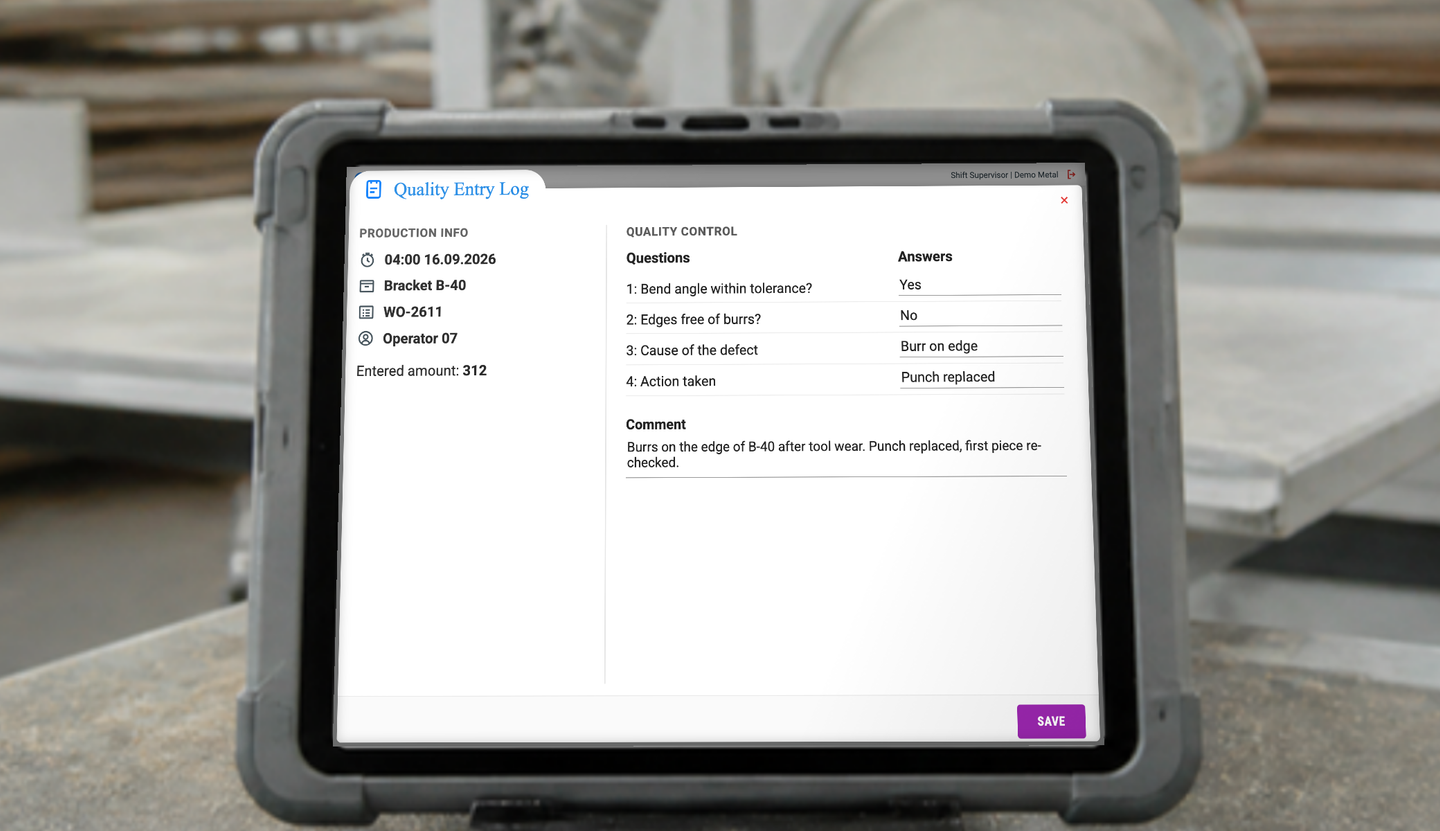
- 1The due check opens the popup on the machine
- 2The operator answers each question on the spot
- 3Saved with the order, the operator and the time
How Quality Control works
Three things happen at the machine, and each one leaves a record you can open later.
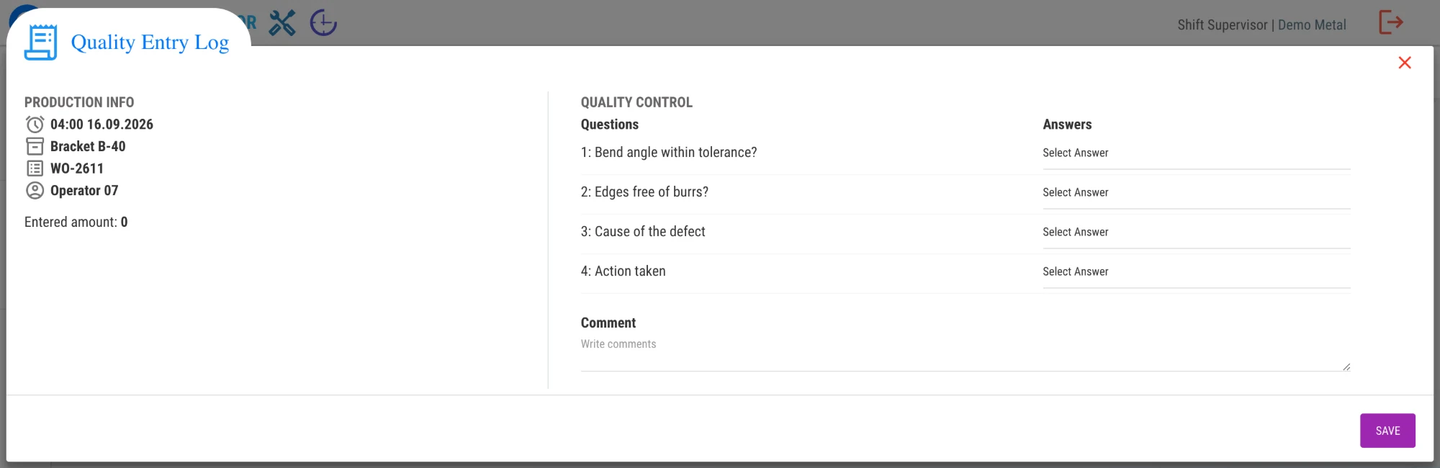
The check comes to the operator
Set the trigger per product or machine: at shift start, every two hours, every 500 pieces, or let the operator call it. The questions are yours: a measured value with a tolerance, a yes or no, a barcode to scan, a box to tick for 'line cleaned'. An answer outside the range is flagged before the run continues.
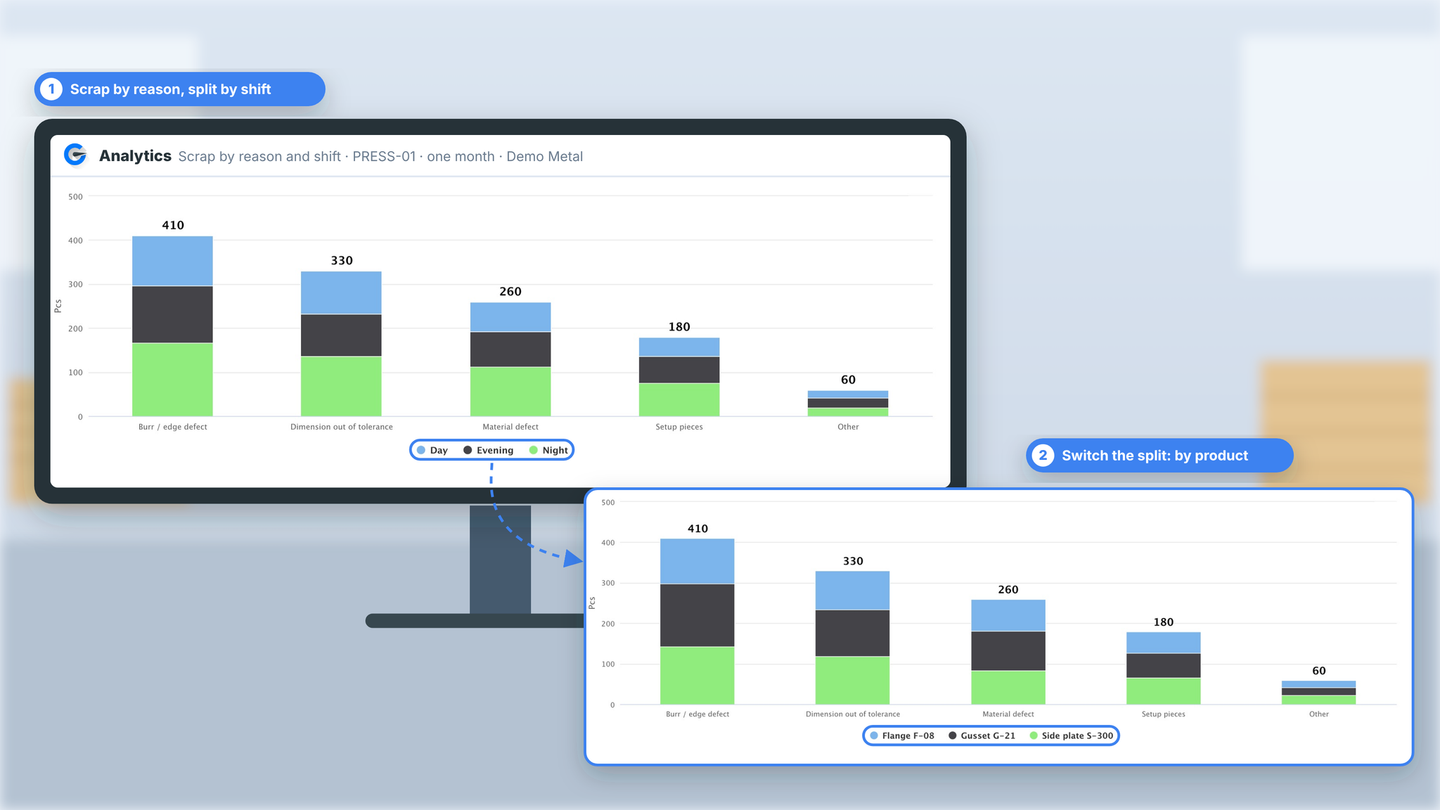
Scrap is counted, with a reason
Operators enter scrap in the unit the machine runs, pieces, metres, kilos or litres, and the reason is mandatory. Where a reject lane exists, a dedicated scrap sensor counts the rejects on its own. Scrap can count against the OEE quality factor, or be kept separate for a process loss such as an extra drying cycle.
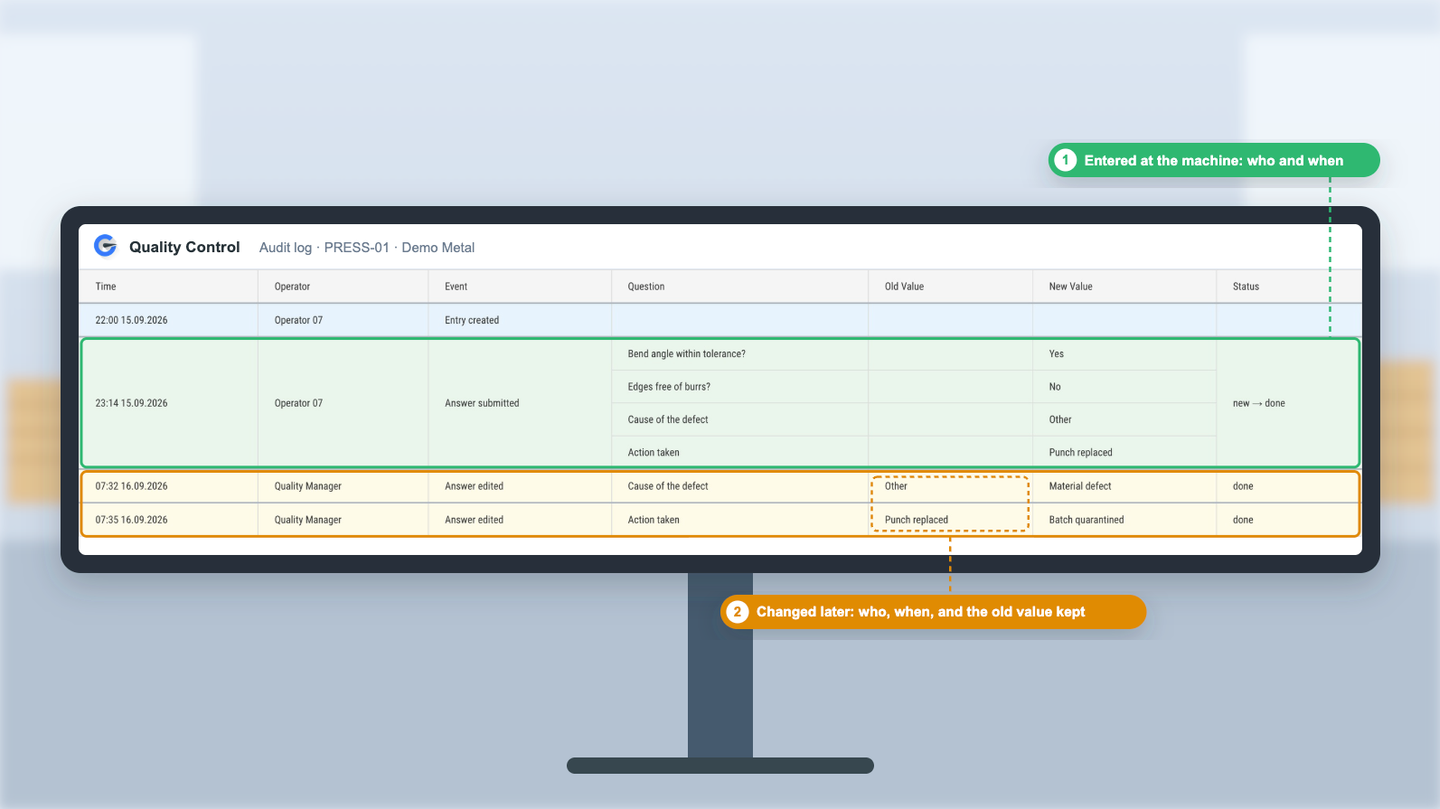
Every entry writes its own log line
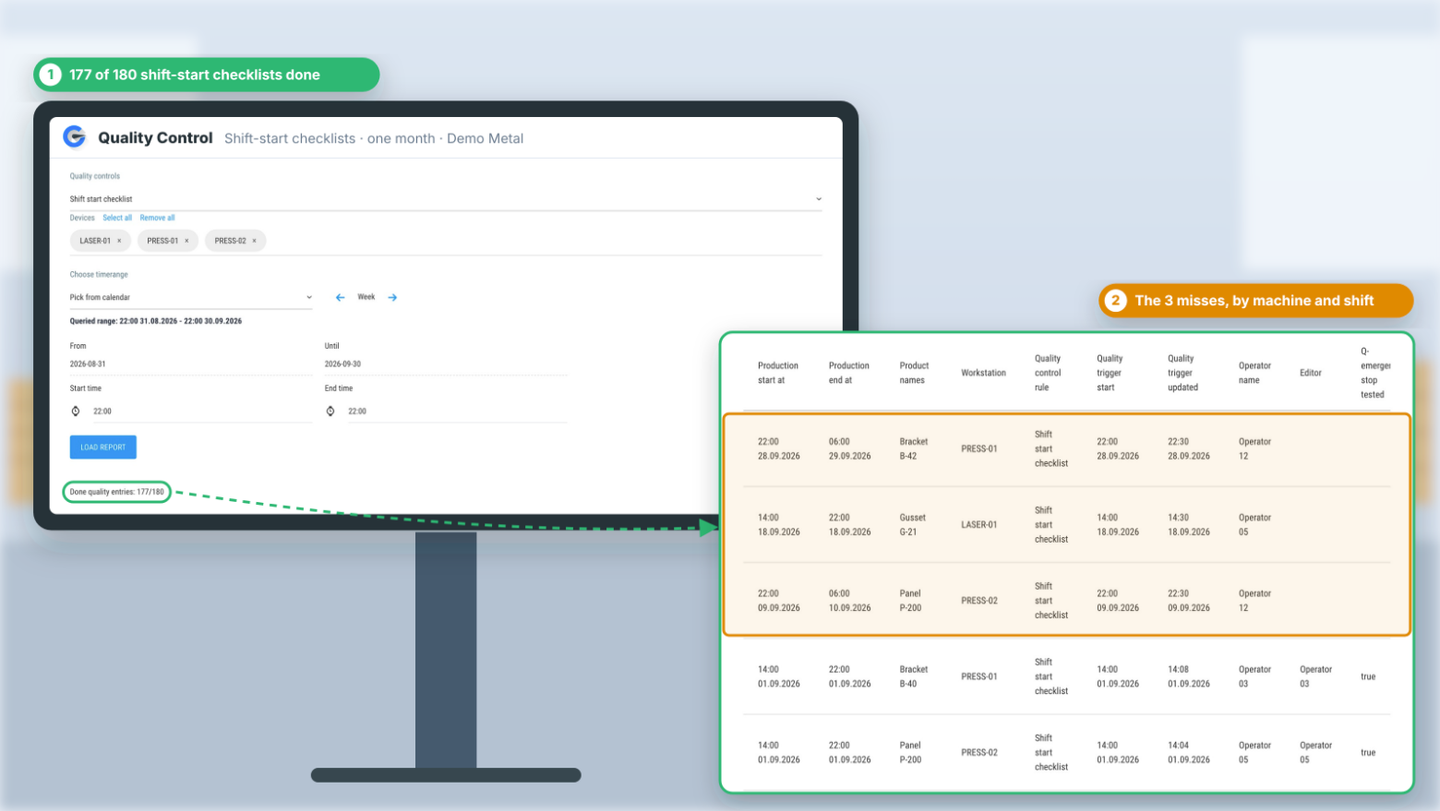
Who answered, when, and what changed later, with the old value kept next to the new one. The checklist report shows how many checks were done against how many were due, by machine and shift, so a skipped check shows up as a miss rather than as a bad batch.
Sound familiar?
Scrap gets found late and explained never.
Moisture readings go on paper, and someone types them into Excel at the end of the week.
When a complaint comes in, we have no quality history for that run.
A changed work instruction means a signature on paper and a weekly sort of the data by hand.
Audit week means three days in binders.
A scrapped part costs you twice: the material, and the machine hour you already paid for. With no reason attached, it costs you a third time next week, when the same defect comes back.
What is quality control software for manufacturing?
Quality control software for manufacturing records quality checks while a part is being made, at the machine, by the operator. GlobalReader's Quality Control add-on does this on the Operator screen: a popup asks for the check when it is due, scrap is entered with a reason or counted by a sensor, and every answer and later edit is logged with the user and the time. A QMS handles document control and corrective actions in the quality office. Quality Control is the shop-floor record that a QMS, or an auditor, asks for.
GlobalReader is built for discrete manufacturers with roughly 10 or more machines and two or more shifts.
- Runs on
- The Operator app at the machine, on a tablet, phone or PC
- Check triggers
- Shift start or end, a time interval, a piece count, or on demand
- Answer types
- A number with an allowed range, yes or no, a barcode scan, a checkbox, a comment
- Scrap
- Entered by the operator with a mandatory reason, or counted by a dedicated scrap sensor, in pieces, metres, kilos or litres
- Log
- User, time, old value and new value for every entry and every later edit
- Reports
- In Analytics by machine, shift, product or reason; export to Excel or PDF, or scheduled by email
- Operator languages
- English, Estonian, Finnish, Latvian, Russian, German, Polish, Romanian
- Price
- €13 per machine per month, on top of the Monitoring service (from €125)
Shop-floor quality control sits between the machine and the quality office.
The operator does the check once, at the machine. The quality manager, the ERP and the auditor read the same record.
1 · Machine + Scoutbox
Counts as it runs
Pieces and cycles come off the machine automatically. Where a reject lane exists, a scrap sensor counts the rejects too.
- pieces
- cycles
- scrap sensor
2 · Operator screen
The check happens here
Quality check · PRESS-01
- Bend angle within tolerance?Yes
- Edges free of burrs?No
- Scrap3 pcs · burrs
Operator 07 · 04:00 · a comment if needed
3 · Where the record goes
One entry, three readers
A QMS keeps document control and corrective actions in the quality office. Quality Control is the shop-floor record it reads from, on the Operator screen that is already at the machine.
For operators and the production manager
A few seconds at the machine. A record nobody has to reconstruct on Friday.
A quality check only works if it gets done on the night shift too. This one is short for the operator and useful to the operator, which is what keeps it filled in.
For the operator
- One screen, no menus. The popup asks its questions and closes.
- It asks in the operator's language. Eight operator languages, including Estonian, Finnish, Polish and Latvian.
- The check protects the operator. The spec was confirmed, and that is on record.
- Short cycles stay short. For cycle times under a minute, set the check by count or by interval, not per piece.
For the production and quality manager
- Machine, shift, product and reason on every entry, recorded the same way on every shift.
- A skipped check shows up as a miss on the checklist report, before it shows up as a bad batch.
- Edits stay visible, with the old value kept next to the new one.
- Reports by any dimension in Analytics, exported to Excel or PDF, or sent by email on a schedule.
A check that protects the operator is a check that gets done.

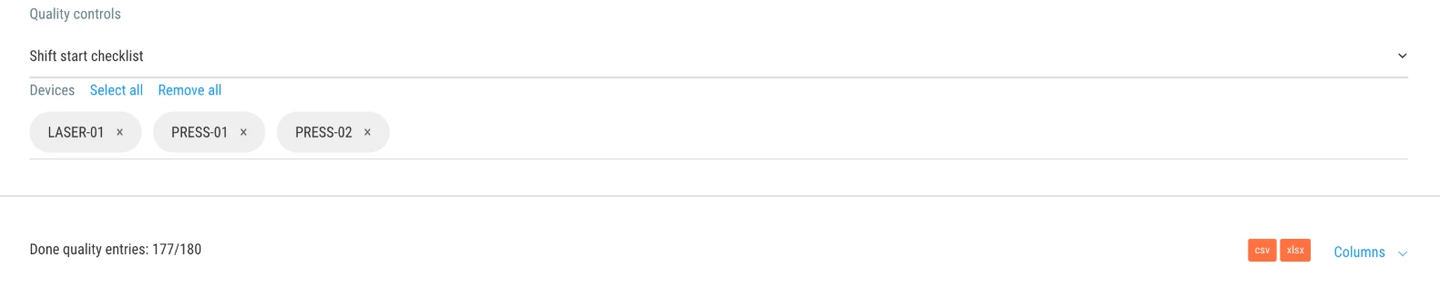
Shift-start checklists, with every miss listed by machine and shift.
Beyond the spec checks during a run, Quality Control runs the operator's shift-start checklist on the same screen: machine in working order, guards in place, first piece checked. The report counts what was done against what was due. In the example shown, 177 of 180 checklists were completed, and the three that were not are listed with the machine, the shift and the operator.
That turns a vague conversation about people not following procedure into a specific one about one night on one press.
"The operator checklist and reporting have helped us significantly reduce breakdown points."
Shop-floor quality control, a QMS suite, or paper
Three ways factories record quality today. They are not rivals: most plants that run a QMS still collect the shop-floor record on paper, and that is the gap Quality Control fills.
| GlobalReader Quality Control | QMS suite | Paper or Excel | |
|---|---|---|---|
| Built for | The machine and the operator | The quality department | Whoever remembers to fill it in |
| When the check happens | During the run, as a popup at the machine | In inspection plans, after the fact | End of shift, if at all |
| Scrap capture | Sensor count plus operator entry with a reason | Manual entry in a separate system | Tally marks, no reasons |
| Connected to machine data | Yes, the same system as your OEE | No, a separate silo and double entry | No |
| Audit trail | Automatic, old values kept | Yes, with admin overhead | Binders |
| Getting started | Switched on for the machines you already monitor | A six to twelve month IT project | Free |
| Price | €13 per machine per month | Tens of thousands a year | The scrap it never explains |
Average results across GlobalReader factories
- +27.4%
- Average OEE improvement
- +22.8%
- Availability improvement
- €39,200
- Recovered per machine per year
- 200+
- Factories monitored across Europe







At Avoti, a solid-pine furniture maker, scrap quantities and scrap reasons flow from GlobalReader straight into Monitor ERP, where they feed the real production cost of each product. Read how Avoti and Monitor G5 work together
Pricing
€13 per machine per month. Added to the plan you already have.
€13 / machine / month
Yearly pay-in-full saves 5%
An add-on to the Operator app on the GlobalReader Monitoring service (€125 / machine / month, with Scoutbox hardware, sensors, Analytics and support included). No tiers, no per-user fees.
- Quality checks by time, piece count or on demand, with your own questions and ranges
- Scrap with mandatory reasons, counted against OEE or kept separate
- Audit log with old and new values, checklist reports, exports and scheduled emails
- Operator screens in eight languages
Want rejects counted automatically? A dedicated scrap sensor is an extra sensor and cable, €95 one-time, where a reject lane exists.
Already a customer? Ask your account manager, or email support@globalreader.eu and we switch it on.
Quality Control FAQ
The questions production and quality managers asked us this autumn, answered in full.
What is quality control software for manufacturing?
Can a check run after every N pieces, or at shift start?
What can a check ask for?
What happens when a value is out of range?
How is scrap recorded, and does it reach our ERP?
Can scrap be kept out of the OEE quality factor?
Is this a QMS, and does it replace our ISO 9001 paperwork?
Does it work for cycle times under a minute?
Can operators send feedback the other way?
Which languages does the operator see?
We can't link quality issues to specific operators, machines, materials or batches. Does this help?
How much does it cost, and what do I need first?
Give every run a spec check and every reject a reason
See Quality Control in a demo built around one of your own products. We show the popup, the scrap entry and the log it leaves behind.
About 90 minutes of setup per machine · Works with any machine · Hardware included in the subscription